 Remnawave Scripts v5.3.0 - Caddy Reverse Proxy + Двуязычный интерфейс
Привет👋
Рад представить Remnawave Scripts v5.3.0 — мажорное обновление с интегрированным Caddy Reverse Proxy!
Версия 5.x — встроенная установка Caddy с SSL, авторизация, двуязычный интерфейс
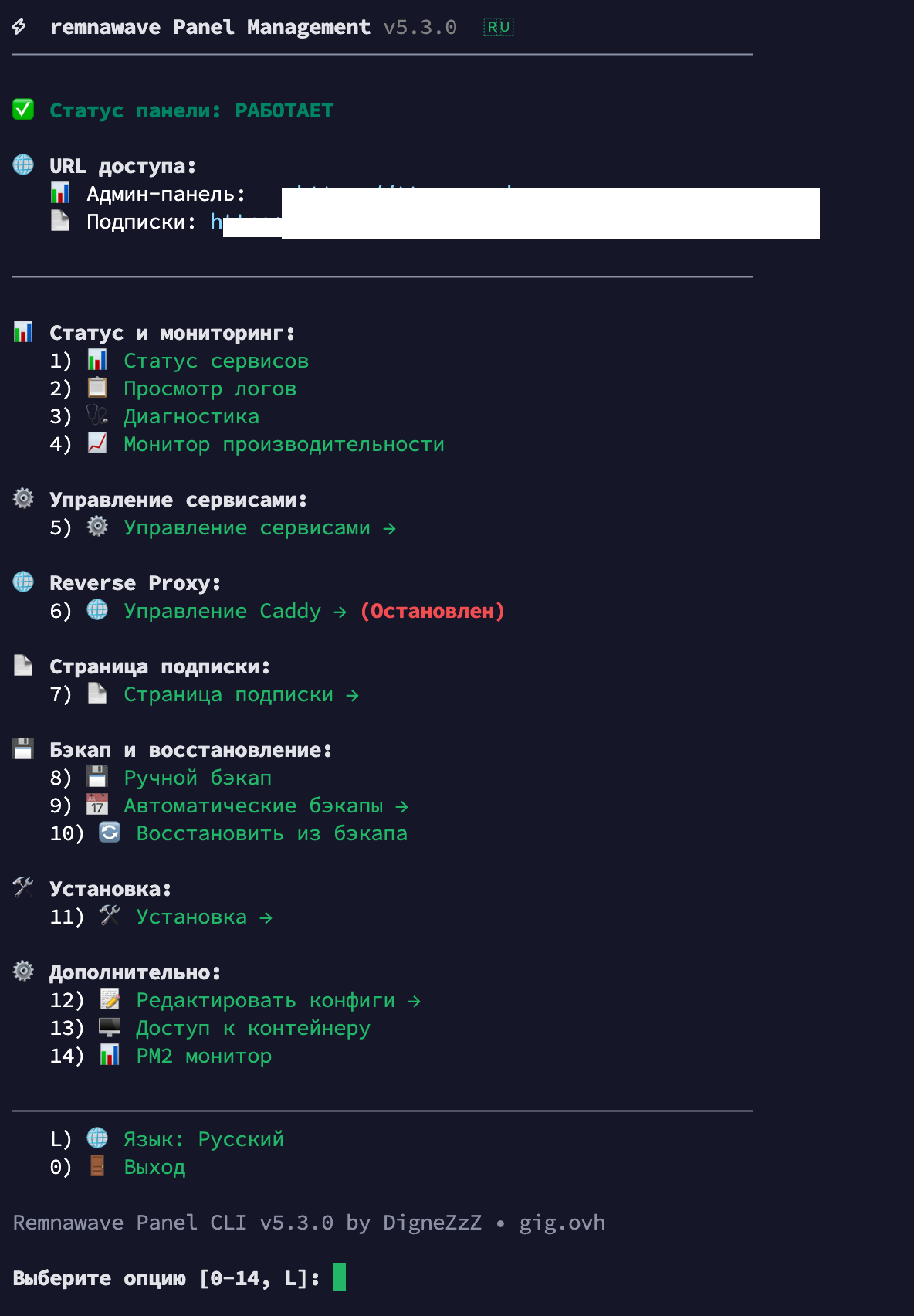
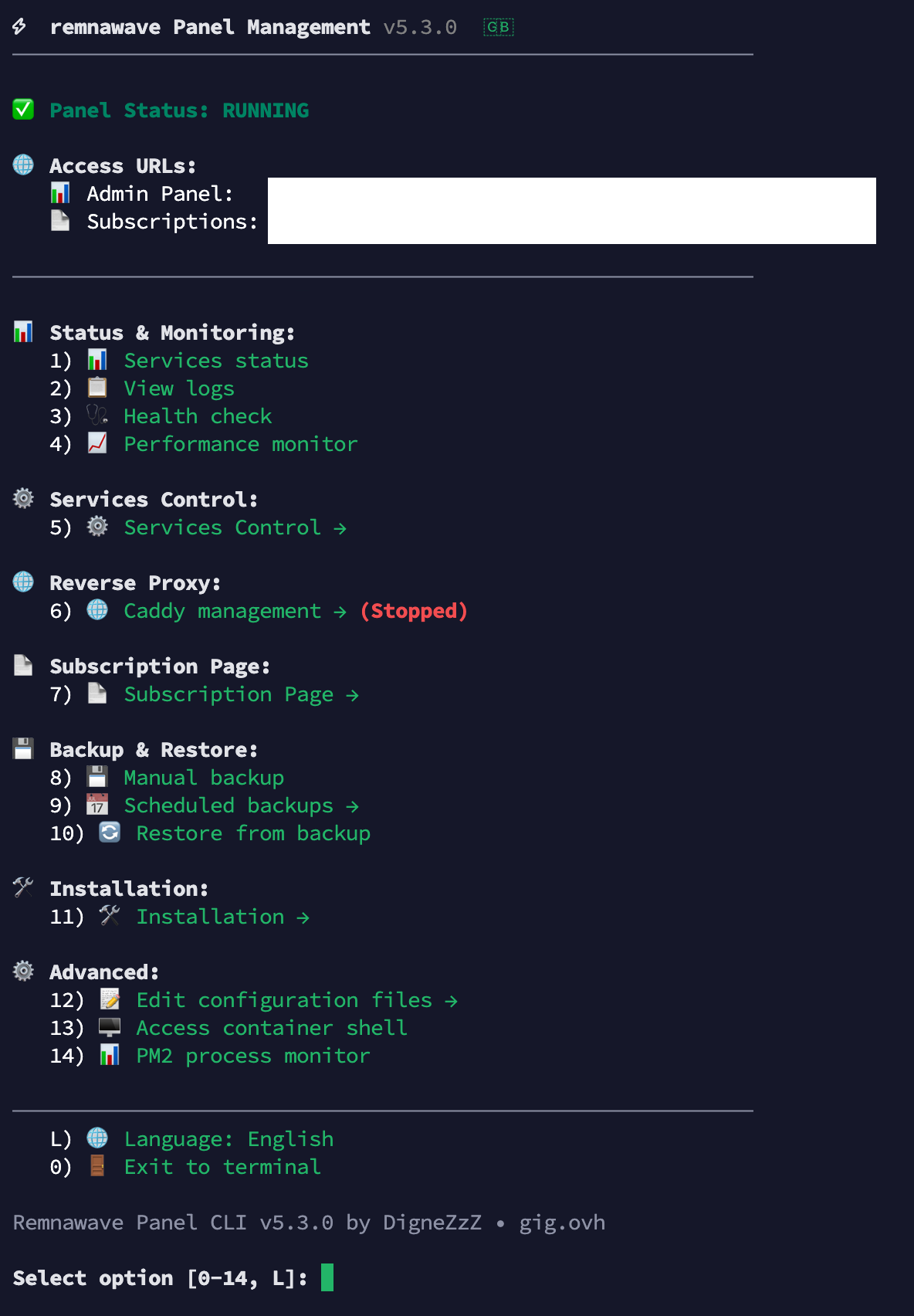
 Главное в v5.x — Caddy Reverse Proxy!
 Встроенная установка Caddy
Больше не нужно вручную настраивать nginx или traefik! Прямо из скрипта:
# При установке панели — автоматически предложит Caddy
remnawave install

# Добавить Caddy к существующей панели
remnawave caddy
 Два режима работы
| Режим | Описание | Для кого |
|---|---|---|
| Simple | Авто-SSL + reverse proxy | Большинство пользователей |
| Secure | + Портал авторизации | Нужна доп. защита панели |
Simple режим:
 SSL сертификаты Let’s Encrypt автоматически
- Проксирует панель и subscription-page
- Никакой настройки — работает из коробки
Secure режим:
- Всё что в Simple +
- Портал аутентификации перед панелью
- API роуты открыты (для нод и интеграций)
- Автогенерация логина/пароля
 Полное управление Caddy
| Команда | Описание |
|---|---|
remnawave caddy |
Статус и справка |
remnawave caddy up |
Запустить |
remnawave caddy down |
Остановить |
remnawave caddy restart |
Перезапустить |
remnawave caddy logs |
Просмотр логов |
remnawave caddy edit |
Редактировать Caddyfile |
remnawave caddy reset-user |
Сбросить пароль (Secure) |
remnawave caddy uninstall |
Удалить Caddy |
Умная установка
- Проверка DNS — валидация A-записей перед выпуском SSL
- Проверка файрвола — UFW/firewalld с подсказками какие порты открыть
- Вопрос про Caddy в начале — до ввода доменов (экономит время)
- DNS валидация только если нужна — если Caddy не ставите, проверка пропускается
Новое в v5.3.0 — Локализация
 Двуязычный интерфейс RU/EN
- Клавиша
Lв главном меню переключает язык - Русский и английский — все пункты меню, подсказки, сообщения
- Сохранение выбора — язык запоминается между сессиями
- Флаг в заголовке —
 или
или  показывает текущий язык
 Реорганизованное меню
📊 Статус и мониторинг:     1-4   (status, logs, health, monitor)
⚙️  Управление сервисами:    5    → подменю (start/stop/restart)
🌐 Reverse Proxy:            6    → Caddy (локализовано!)
📄 Страница подписки:        7    → подменю
💾 Бэкап и восстановление:  8-10
🛠️  Установка:               11   → подменю (install/update/uninstall)
⚙️  Дополнительно:          12-14 (configs, shell, pm2)
L)  Переключить язык
 Новые подменю
- Services Control — start/stop/restart с отображением статуса
- Installation — install/update/uninstall вынесены отдельно
- Caddy Menu — полностью локализованное управление Caddy
 Улучшения Backup (v5.1+)
backup --include-caddy— включает конфиг Caddy в бэкап- Безопасный uninstall — автоматический бэкап перед удалением
- Отдельный вопрос про Caddy — при удалении панели спрашивает сохранить ли Caddy
 Быстрый старт
# Свежая установка (с Caddy)
bash <(curl -Ls https://github.com/DigneZzZ/remnawave-scripts/raw/main/remnawave.sh) @ install

# Обновление скрипта
remnawave update

# Добавить Caddy к существующей панели
remnawave caddy
 Полезные ссылки
- Документация Caddy Security: Caddy with minimal setup | Remnawave Documentation
- GitHub скриптов: GitHub - DigneZzZ/remnawave-scripts: Collection of automation scripts and utilities for RemnaWave project. Features deployment tools, configuration management, and workflow automation scripts to streamline development and operations
 Важно
Важно
- Caddy устанавливается в
/opt/caddy-remnawave/отдельно от панели - Credentials для Secure режима хранятся в
/opt/caddy-remnawave/.env - Можно поставить Caddy после установки панели через
remnawave caddy - Скрипт не ломает существующую конфигурацию при обновлении
Автор: DigneZzZ | Сайт: https://gig.ovh | Telegram: Telegram: View @remnawave