Архивная статья. Сборки DWG и сопутствующие скрипты давно не обновлялись и требуют серьёзной актуализации. Материал сохранён как исторический.
DWG UI — это готовая Docker-сборка для развёртывания собственного VPN-сервера: WireGuard с удобным веб-интерфейсом WG-Easy, блокировщик рекламы AdGuard Home и кэширующий DNS-сервер Unbound. В этой статье я расскажу, что входит в сборку, и покажу, как установить её на чистый сервер одной командой.
Обсуждение DWG » | DWG-CLI » | DWG-UI » | DWG-DARK » | DWG [multi] »

Информация носит ознакомительный характер. Пожалуйста, не нарушайте действующего законодательства вашей страны.
Что входит в сборку
Сборка DWG-UI включает в себя:
- Веб-интерфейс для управления клиентами WireGuard — WG-Easy.
- Контейнер с Unbound — предоставляет собственный DNS-сервер с кэшированием DNS и дополнительными параметрами конфиденциальности.
- Контейнер с AdGuard Home (более современный аналог, чем Pi-hole) — используется для блокировки рекламы и аналитических трекеров, а также для редактирования списка DNS-серверов, к которым обращается Unbound. Имеет очень полезную функцию параллельных DNS-запросов, которой нет в Pi-hole.
- Контейнер с WireGuard — используется непосредственно для запуска серверной части WireGuard VPN.
Основные репозитории с обновлениями на GitHub
GitHub - DigneZzZ/dwg: dwg-universal
GitHub - DigneZzZ/dwg-ui: Combination Wireguard + Adguard Home + Unbound (DoH include)
Требования и выбор сервера
Требования: чистый пустой сервер.
Первым делом нам нужно арендовать хороший и быстрый сервер. Берите тот, который лучше подходит вам по скорости, и получите бонус 15% на пополнение баланса (если пополнить его в первые 24 часа после регистрации): https://aeza.net/?ref=377137
Замерить скорости можно здесь: Aéza (aeza.net)
Поддерживаемые операционные системы (где проверена работоспособность): Ubuntu 20.04, 22.04, 23.10; Debian 11, 12; CentOS 8, 9.
Установка
Скрипт устанавливает всё автоматически. Все пояснения по работе скрипта находятся внутри него, в комментариях.
Команда установки:
apt update && apt install curl sudo git -y && curl -Of https://raw.githubusercontent.com/DigneZzZ/dwg-ui/main/setup.sh && chmod +x setup.sh && ./setup.sh
Что установится
- Сначала установится Git, чтобы можно было скопировать мой репозиторий.
- Docker — последняя версия.
- Docker Compose — последняя версия.
- WG-Easy — интерактивный режим ввода пароля для веб-интерфейса.
- AdGuard Home — интерактивный режим создания пользователя и пароля (можно оставить стандартными).
- Unbound — всё в стоке.
- apache2-utils — необходим для генерации хэш-паролей.
- ssh.sh — скрипт для смены порта SSH-подключения.
- ufw.sh — скрипт для установки файрвола UFW.
- Скрипт напомнит установить ufw-docker и сам закроет доступ извне! ВНИМАНИЕ! Запускать только после того, как создадите для себя клиента в WireGuard!
Веб-интерфейсы
Скриншоты веб-интерфейсов:
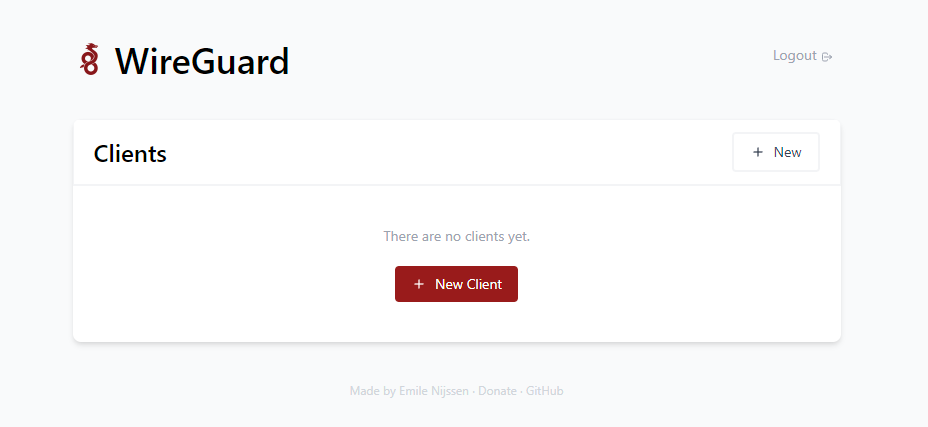
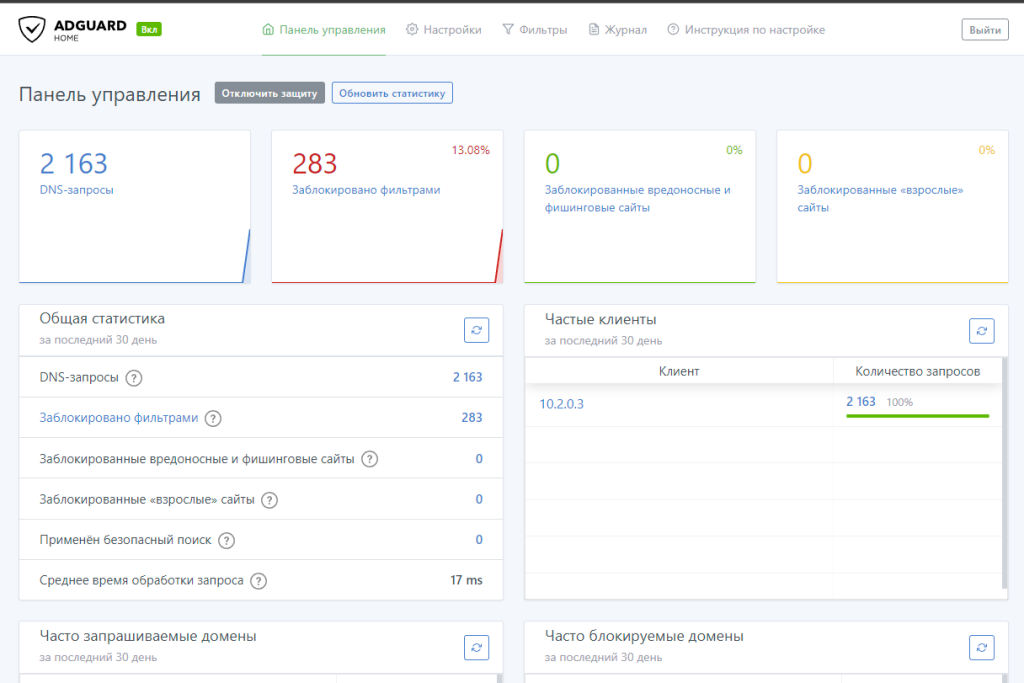
Адреса веб-интерфейсов:
WG-Easy web-ui:
yo.ur.ip.xx:51821 #вместо yo.ur.ip.xx введите IP своего сервера, пароль введите тот что присвоили при установке

Доступ в web-ui из сети WG:
http://10.2.0.3:51821

AdGuard HOME:
http://10.2.0.100/
Логин: admin
Пароль: admin

# Скрипт для смены пароля AGH
bash <(wget -qO- https://raw.githubusercontent.com/DigneZzZ/dwg/main/change.sh)
Полезные ссылки
- Закрытие внешнего доступа вручную к панели WG-Easy
- Установка и настройка UFW-Docker вручную
- Как изменить порт подключения к WireGuard со стандартного 51820
Описание инструментов DWG в папке /tools/
- dwg/agh.sh at main · DigneZzZ/dwg · GitHub — скрипт для смены пароля в AGH.
- dwg/docker.sh at main · DigneZzZ/dwg · GitHub — скрипт для выборочной установки только Docker.
- dwg/nano.sh at main · DigneZzZ/dwg · GitHub — скрипт для установки редактора nano.
- dwg/ssh.sh at main · DigneZzZ/dwg · GitHub — скрипт для смены портов SSH.
- dwg/swap.sh at main · DigneZzZ/dwg · GitHub — скрипт для добавления файла подкачки с оптимальным расчётом исходя из характеристик вашей системы.
- dwg/ufw-docker.sh at main · DigneZzZ/dwg · GitHub — установка UFW-Docker с закрытием доступа к портам извне (может быть установлен, только если уже стоит UFW).
- dwg/ufw.sh at main · DigneZzZ/dwg · GitHub — установка UFW Firewall.
- dwg/wg-ru.sh at main · DigneZzZ/dwg · GitHub — русификация и модернизация страницы пользователей WG-Easy.
Статья впервые опубликована 09.12.2022 на openode.xyz; перенесена и обновлена 04.08.2026.