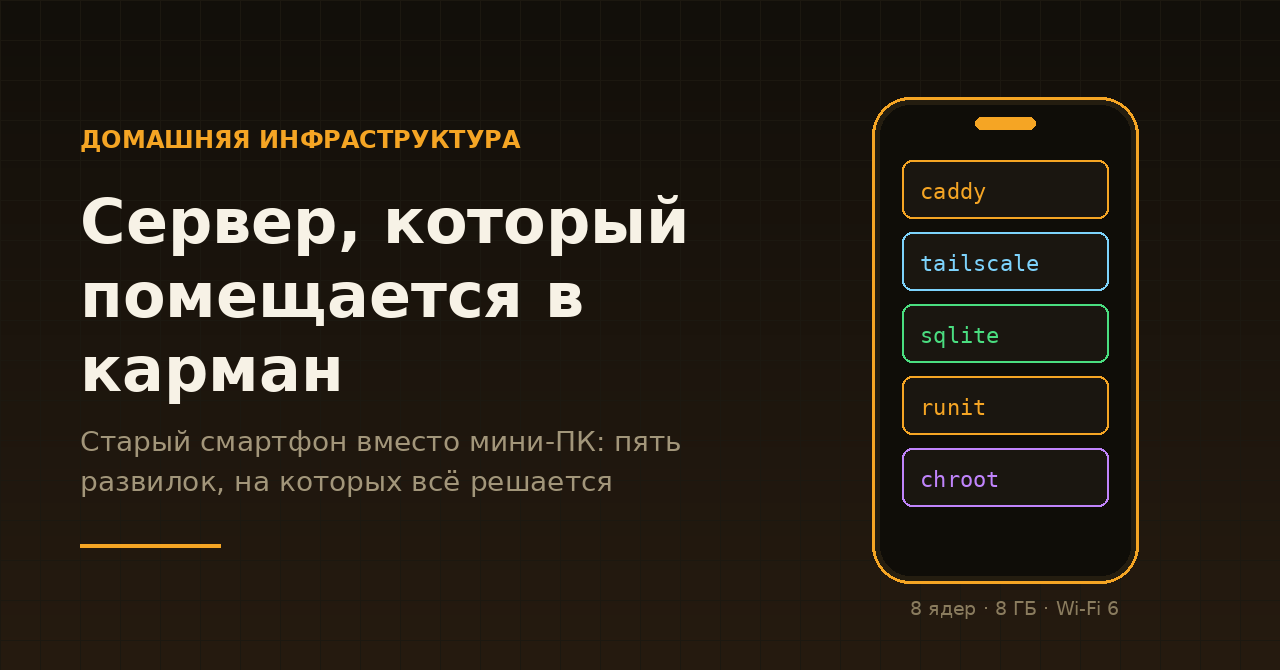
В горячем списке Hacker News на этой неделе висел пост с обезоруживающим заголовком — «My server is a phone now». Автор перенёс свои домашние сервисы со стационарной машины на бюджетный смартфон CMF Phone 1 и подробно расписал, что из этого вышло. Заметка интересна не экзотикой (запускать что-то в Termux пробовали многие), а тем, что это редкий случай, когда человек честно перечислил развилки, на которых пришлось выбирать, и цену каждого выбора.
Разберём кейс именно по развилкам — потому что если вы будете повторять, вы упрётесь ровно в эти же пять.
Что за железо. CMF Phone 1 — бюджетник Nothing на MediaTek Dimensity 7300: восемь ARM-ядер, 8 ГБ ОЗУ, 128 ГБ флеша, Wi-Fi 6, 5G-модем. По характеристикам это примерно уровень типового мини-ПК начального класса, только с экраном, аккумулятором и модемом в комплекте — и по цене подержанного Raspberry Pi 5 с обвесом.
Развилка 1. Снести Android или оставить
Инстинктивное решение самохостера — поставить нормальный Linux. Автор так и попробовал: postmarketOS. Итог — потеря Wi-Fi, Bluetooth и аппаратного ускорения графики, а на первой попытке прошивки ещё и «мягкий кирпич», который пришлось откачивать фирменной виндовой утилитой производителя.
Причина прозаична и относится не только к этой модели. Мобильные SoC живут на вендорских бинарных драйверах и форке ядра, который производитель никуда не отдаёт. Мейнлайн-ядро postmarketOS для многих устройств умеет ровно то, что энтузиасты успели портировать вручную, — и Wi-Fi с модемом обычно оказываются в конце этого списка.
Прежде чем покупать телефон «под сервер», найдите конкретно вашу модель в списке устройств postmarketOS и посмотрите, что там помечено как рабочее. Разброс огромный: у одних аппаратов взлетает почти всё, у других не поднимается даже Wi-Fi. Планировать проект на «ну, наверное, портируют» — верный способ получить дорогое пресс-папье.
Итоговый выбор автора: остаться на стоковой Android-прошивке и строить всё поверх неё. Драйверы работают, модем работает, батарея заряжается корректно — а Linux-окружение живёт внутри.
Развилка 2. PRoot или chroot
Классический Termux запускает дистрибутивы через PRoot — это эмуляция chroot в пользовательском пространстве, без root-прав: PRoot перехватывает системные вызовы через ptrace и подменяет пути. Работает где угодно, но за перехват каждого сисколла вы платите процессором и задержкой.
Автор рутовал устройство и перешёл на настоящий chroot с файловой системой Debian. Формулировка в оригинале — прирост «not subtle», не тонкий; речь про запуск Chromium под удалённый браузер, то есть про нагрузку, где сисколлов очень много. Численных замеров он не приводит, так что относитесь к этому как к качественному наблюдению, а не к бенчмарку.
Практический вывод для тех, кто повторяет: если вы вешаете на телефон что-то долгоживущее и лёгкое (бот, сборщик метрик, RSS-читалка, git-зеркало) — PRoot вас устроит и рутовать телефон незачем. Если нагрузка чувствительна к задержкам и молотит сисколлами (браузер, транскодинг, БД под запросами) — либо root и chroot, либо не связывайтесь.
Развилка 3. Как вообще попасть внутрь
Телефон в сотовой сети не имеет белого адреса — он за CGNAT, и проброс порта туда невозможен в принципе. Даже на домашнем Wi-Fi адрес обычно серый. Автор решил это тремя разными инструментами под три разные задачи:
- Cloudflare Tunnel — для HTTP-сервисов, которые должны быть доступны публично по нормальному домену;
- Tailscale в режиме always-on VPN — для администрирования, то есть SSH и всё, что не надо публиковать;
- DDNS — для бэкенда удалённого браузера, где нужен прямой стрим, а не HTTP.
Отдельный любопытный трюк из поста: TLS-поток удалённого браузера пришлось завернуть в WebSocket, потому что Cloudflare Tunnel не пропускает произвольный TCP. Это типовая головная боль всех, кто пытается протащить не-HTTP через HTTP-туннель, и решение стоит запомнить.
Схема «Tailscale для управления + туннель для публикации» — вообще хороший дефолт для любого домашнего сервера, не только телефонного. Панель управления не должна светиться в интернет; наружу выходит только то, что реально должно быть публичным. На форуме эта логика разобрана подробнее в дорожной карте домашнего сервера.
Развилка 4. Как не дать Android убить ваши процессы
Это то место, где ломаются девять из десяти попыток. Android агрессивно выгружает фоновые процессы и уводит устройство в сон — для телефона это фича, для сервера это катастрофа. Набор мер, который применил автор, довольно стандартен:
- Termux:Boot — отдельное дополнение к Termux, выполняющее скрипты из
~/.termux/boot/при старте устройства (файлы запускаются в отсортированном порядке). Важная деталь из документации: приложение надо один раз запустить вручную после установки, иначе разрешение на автозапуск не активируется. termux-wake-lock— первая команда в стартовом скрипте, удерживающая устройство от засыпания. Официальная документация рекомендует именно так.- Отключение оптимизации батареи для Termux в системных настройках.
- runit как супервизор внутри окружения — чтобы упавший сервис поднимался сам.
Цепочка запуска в итоге выглядит так: загрузка Android → always-on VPN → Termux:Boot → runit → сервисы в chroot.
Чего делать точно не стоит — рассчитывать, что стоковый Android продержит всё это без присмотра месяцами. Системное обновление прошивки, «оптимизация» от вендорской оболочки, перезагрузка после разряда — каждое такое событие способно тихо выключить ваш «сервер», причём вы узнаете об этом по отвалившемуся мониторингу, а не сразу. Внешняя проверка живости (uptime-монитор с другого узла) здесь не роскошь, а обязательный элемент.
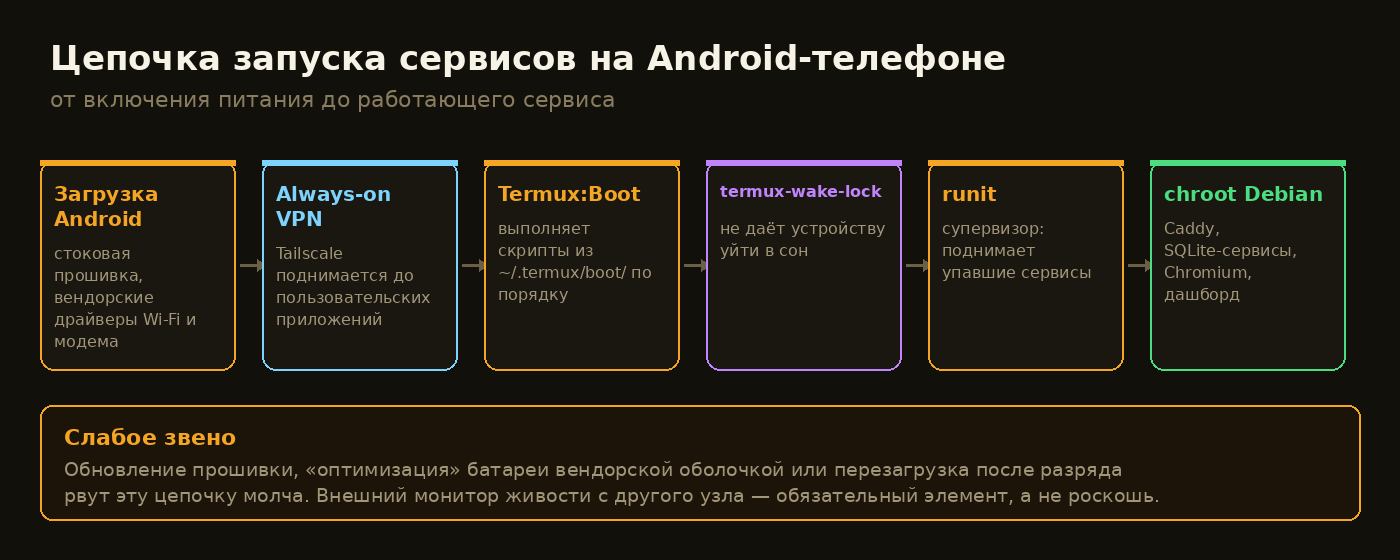
Схема: как выстраивается автозапуск и где он рвётся. Собственная иллюстрация
Развилка 5. Батарея — это UPS или бомба
Красивая часть идеи: встроенный аккумулятор работает как маленький ИБП. Автор прямо пишет, что телефон переживает переезд между сетями и кратковременные пропадания питания, потому что у него своя батарея. Для домашнего сервера в квартире с нестабильным электричеством это реально сильный аргумент — отдельный UPS на мини-ПК стоит дороже самого телефона.
Обратная сторона, о которой стоит думать заранее: литий-полимерный аккумулятор, годами висящий на 100 % заряда под постоянной нагрузкой и в тепле, деградирует и может вздуться. Промышленные решения для «телефона в роли сервера» обычно предполагают либо ограничение заряда на уровне прошивки (у ряда моделей и оболочек есть предел в 80–85 %), либо физическое извлечение батареи. Если ваш аппарат такого не умеет — закладывайте плановую замену аккумулятора в стоимость владения и не ставьте телефон в закрытый шкаф.
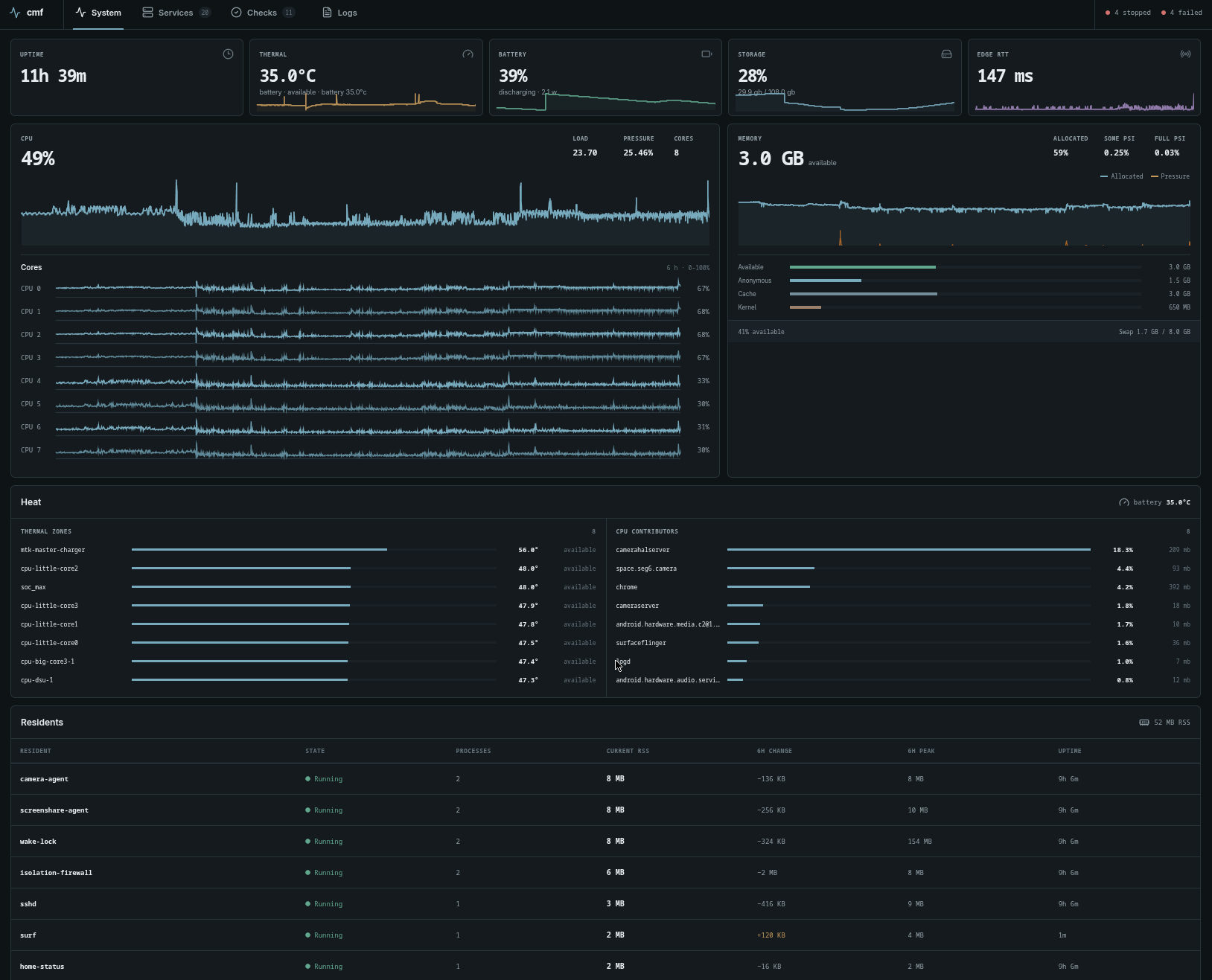
Скриншот собственного дашборда автора — seg6.space
Что на это вешать разумно, а что нет
Кейс автора — сервисы, у которых нагрузка либо нулевая, либо всплесками: удалённый браузер, трекер личных финансов на SQLite, шаринг экрана, несколько мелких веб-приложений, дашборд наблюдаемости, Caddy в роли маршрутизатора. Это правильный класс задач.
Плохой класс — всё, что упирается в постоянную запись и надёжность хранения. Флеш-память смартфона (UFS/eMMC) не рассчитана на профиль нагрузки сервера БД, SMART в привычном виде вы оттуда не получите, ECC-памяти нет, а горячая замена диска физически невозможна. Считайте телефон одноразовым узлом: всё ценное — в бэкап на внешнюю систему, и восстановление должно быть проверено, а не «ну, наверное, восстановится».
Энергопотребление автор, к сожалению, не измерил. Ориентир здравого смысла: телефонный SoC в простое живёт на единицах ватт против десятков у мини-ПК, но подтверждать это стоит своим ваттметром, а не верой в маркетинг.
Главная ценность этого кейса не в том, что «телефон может быть сервером» — может, тут вопросов нет. Она в том, что старый смартфон в ящике — это готовый ARM-компьютер с автономным питанием, двумя радиомодулями и резервным каналом связи через сотовую сеть. Как основной узел он сомнителен. Как второй, независимый узел — для мониторинга, который должен пережить падение основного сервера, для аварийного доступа в домашнюю сеть, для DNS — он неожиданно хорош, потому что не зависит ни от вашего роутера, ни от вашего провайдера.
Источники
- seg6.space — My server is a phone now — первоисточник, разбираемый кейс
- Обсуждение на Hacker News — контекст и критика в комментариях
- termux/termux-boot — официальная документация по автозапуску и
termux-wake-lock - postmarketOS — проект и список поддерживаемых устройств
- Связанные темы форума: Домашний сервер: дорожная карта, Homelab-стек 2026
У кого-нибудь в хозяйстве реально работает старый смартфон как узел инфраструктуры — и что вы на него повесили? Особенно интересуют те, кто дошёл до postmarketOS: какая модель и что на ней в итоге не заработало?