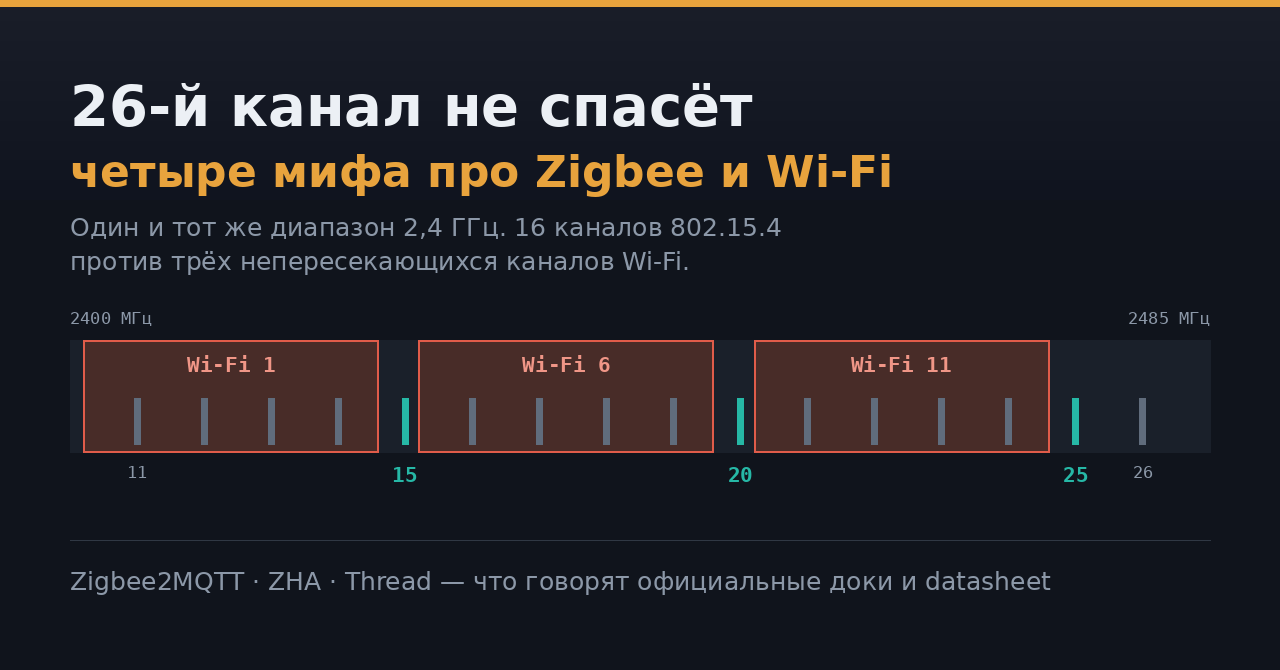
Датчик в дальней комнате отваливается раз в сутки, лампа отвечает через три секунды — и в любом чате по умному дому за минуту посоветуют «уйти на 25-й или 26-й канал, там Wi-Fi нет». Совет наполовину рабочий и наполовину вредный. Ниже — четыре расхожих утверждения и то, что по их поводу написано в документации производителей и в официальных доках проектов.
Миф 1. «Это разные технологии, они друг другу не мешают»
Мешают, потому что живут в одном куске спектра. IEEE 802.15.4 на 2,4 ГГц — это 16 каналов с номерами 11–26, центральные частоты от 2405 до 2480 МГц, шаг 5 МГц, занимаемая полоса — 2 МГц. Wi-Fi там же ест по 22 МГц: первый канал занимает 2401–2423 МГц, шестой — 2426–2448, одиннадцатый — 2451–2473. Узкий Zigbee не «пробивается» сквозь Wi-Fi — он либо помещается в щель между полосами, либо нет.
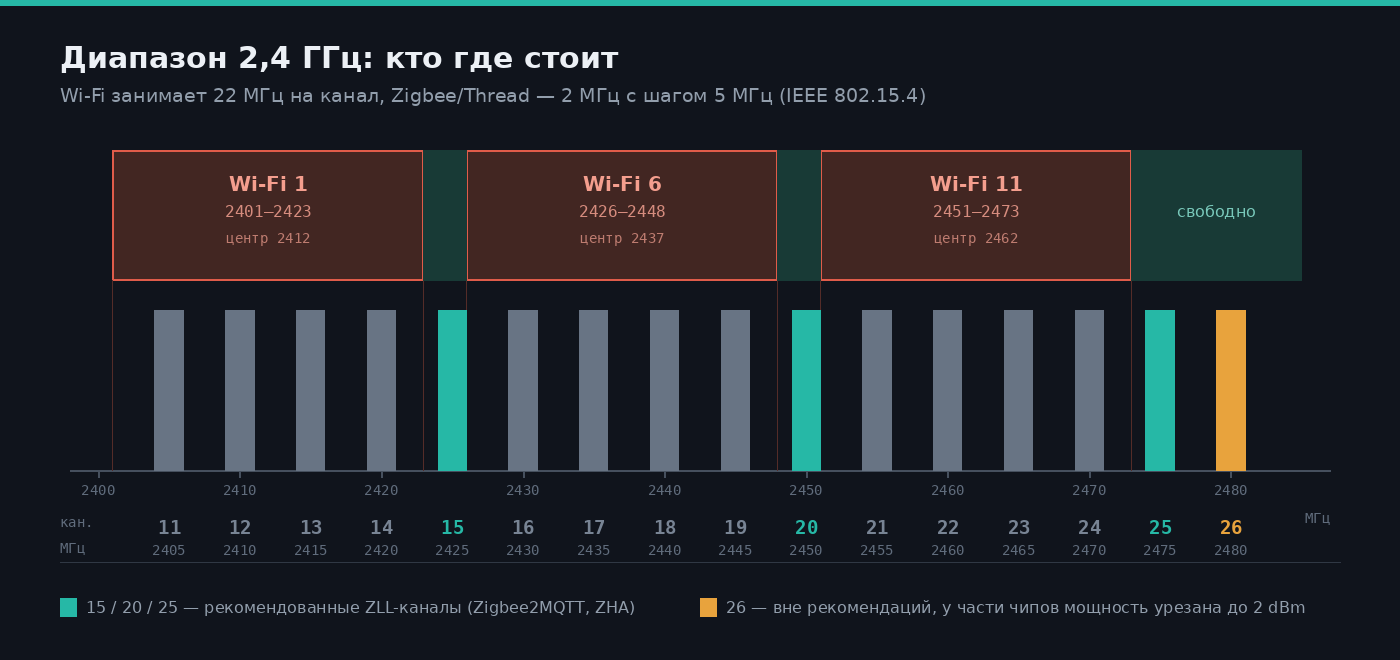
Полосы построены по данным NXP JN-AN-1079 (802.15.4: шаг 5 МГц, полоса 2 МГц)
Thread и Matter-over-Thread работают на том же 802.15.4 и используют ту же нумерацию каналов. Если рядом с Zigbee-координатором крутится Thread-бордер-роутер, они делят спектр не только с Wi-Fi, но и друг с другом.
Миф 2. «Ставь 26-й — он дальше всех от Wi-Fi»
Верхний край диапазона действительно свободен. Но 26-го нет ни в рекомендациях Zigbee2MQTT (11, 15, 20, 25), ни в ZHA, чей «Smart»-подбор при первом запуске сканирует все каналы и предпочитает 15, 20 и 25 остальным.
Вторая причина серьёзнее и почти не обсуждается: на 26-м режут мощность передатчика. Texas Instruments в руководстве по FCC-сертификации Z-Stack прямо задаёт потолки для своих плат: LP_CC2652RSIP и LP_CC2652PSIP — максимум 2 dBm на 26-м канале, CC1352P_2_LAUNCHXL — 15 dBm. Причина — вторая гармоника, из-за которой платы не проходят сертификацию на верхних каналах.
Разброс огромный: 2 dBm у одной платы против 15 dBm у другой в том же документе — при том что сами чипы серии CC2652P рассчитаны на выход до +20 dBm. Восемнадцать децибел в свободном пространстве — это примерно восьмикратное сокращение дальности; в помещении меньше, но сеть после такого «улучшения» всё равно рассыпается. Лимиты своего свистка ищите в документации его производителя, а не в советах из чата.
Миф 3. «Сменю канал — и всё починится»
Смена канала на живой сети — операция с побочными эффектами, а не бесплатная кнопка. В Zigbee2MQTT она поддерживается только для адаптеров zstack и ember, часть устройств не умеет переключаться вовсе и потребует повторного сопряжения, а спящие батарейные датчики широковещательное сообщение просто не услышат: ZHA закладывает до часа на переподключение всех устройств и советует ускорять процесс передёргиванием питания. Официальная рекомендация ZHA вообще звучит так: канал, выбранный при первичной настройке, лучше не трогать.
Поэтому начинать надо не с Zigbee, а с того, где стоит ваша точка доступа:
# свой и соседские SSID с номерами каналов и уровнем
nmcli -f SSID,CHAN,FREQ,SIGNAL dev wifi list | head -20
Дальше — по таблице; «свободно» значит, что полоса Zigbee целиком лежит вне 22 МГц этого Wi-Fi-канала.
| Канал Wi-Fi | Занимаемая полоса | Свободные каналы Zigbee |
|---|---|---|
| 1 | 2401–2423 МГц | 15, 20, 25 |
| 6 | 2426–2448 МГц | 11–14, 20, 25 |
| 11 | 2451–2473 МГц | 11–15, 25 |
Видно, почему 25-й — самый частый ответ: из рекомендованных только он свободен при любом положении Wi-Fi.
Таблица верна только для ширины Wi-Fi-канала 20 МГц: в режиме 40 МГц точка занимает почти половину диапазона и щелей не остаётся. Заодно проверьте, что канал зафиксирован, а не стоит в «авто» — иначе роутер переедет ночью и утащит вашу щель с собой.
Миф 4. «Проблема в канале» — а она в полуметре кабеля
Самая частая причина плохой сети вообще не про каналы. USB 3.0 шумит широкополосно прямо в полосе 2,4–2,5 ГГц — это описано в документе USB-IF, на который производители железа ссылаются уже десяток лет. Координатор, воткнутый вплотную к порту USB 3.0 или к внешнему SSD, глушит сам себя.
Документация Zigbee2MQTT формулирует без обиняков: адаптер рядом с портом USB или HDMI способен убить радио полностью, а удлинителя в 50 см уже достаточно, чтобы заметно снизить помехи. ZHA добавляет: портов USB 3.0 избегать, включать в USB 2.0 или в хаб с внешним питанием.
Порядок действий, если сеть сыпется:
- Удлинитель от 50 см, порт USB 2.0, подальше от корпуса, SSD и роутера — бесплатно и часто закрывает вопрос.
- Зафиксировать канал точки доступа вручную, ширину оставить 20 МГц.
- Добавить в проблемные зоны питаемые от сети устройства-роутеры (розетки, реле) — меш держат они.
- И только потом менять Zigbee-канал, готовясь к повторному сопряжению части устройств.
Источники
- NXP JN-AN-1079: Co-existence of IEEE 802.15.4 at 2.4 GHz — частоты и полосы каналов
- TI Z-Stack: FCC Certification Considerations — ограничения мощности на 26-м канале
- Zigbee2MQTT: конфигурация сети и range and stability
- Home Assistant: ZHA — выбор канала и рекомендации по USB
- USB-IF: USB 3.0 Radio Frequency Interference Impact on 2.4 GHz Wireless Devices
Смежное на форуме: Умный дом без интернета: стресс-тест на автономность.
На каком канале живёт ваша Zigbee-сеть и приходилось ли его менять? И что в итоге помогло — USB-удлинитель или всё-таки переезд по спектру?